
UiPath Agentic Automation
AGENTS THINK. ROBOTS DO. PEOPLE LEAD.
UiPath Automation Journey
UiPath's Journey Toward Agentic Automation
AI has led our innovation
Because we have always wanted to emulate humans at a more intellectual level
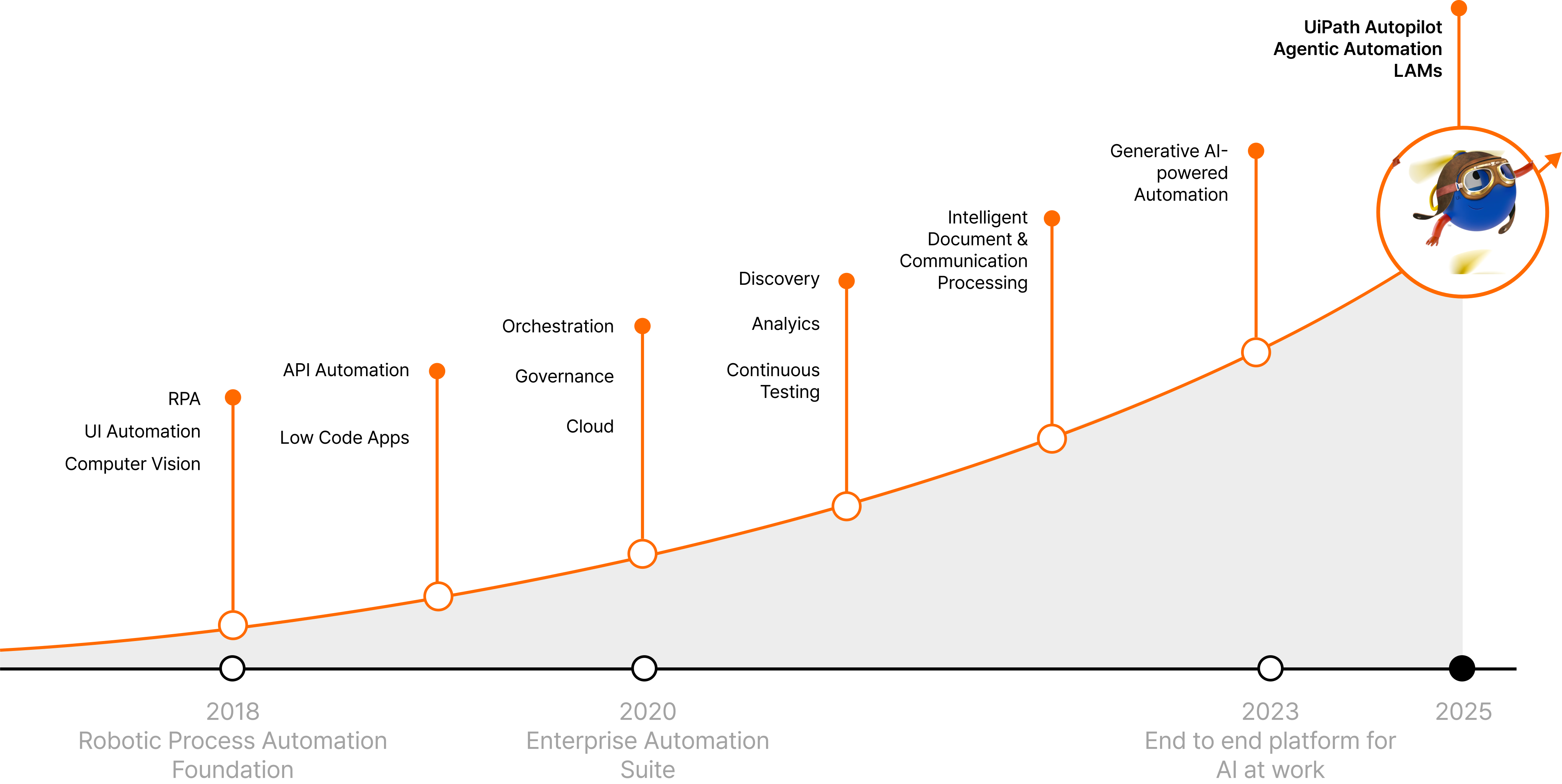
Why Agentic Automation?
Why Agentic Automation Is Needed
For a long time, enterprise automation has evolved around RPA.
RPA has improved productivity and operational efficiency by processing repetitive, rule-based tasks quickly and accurately.
But today's work environments are becoming increasingly complex.
Tasks that require situational judgment — such as analyzing customer inquiries, reviewing documents, and handling exceptions — are difficult to address with traditional automation alone.
Connecting diverse systems and data, and responding to a constantly changing environment, also calls for more intelligent automation.
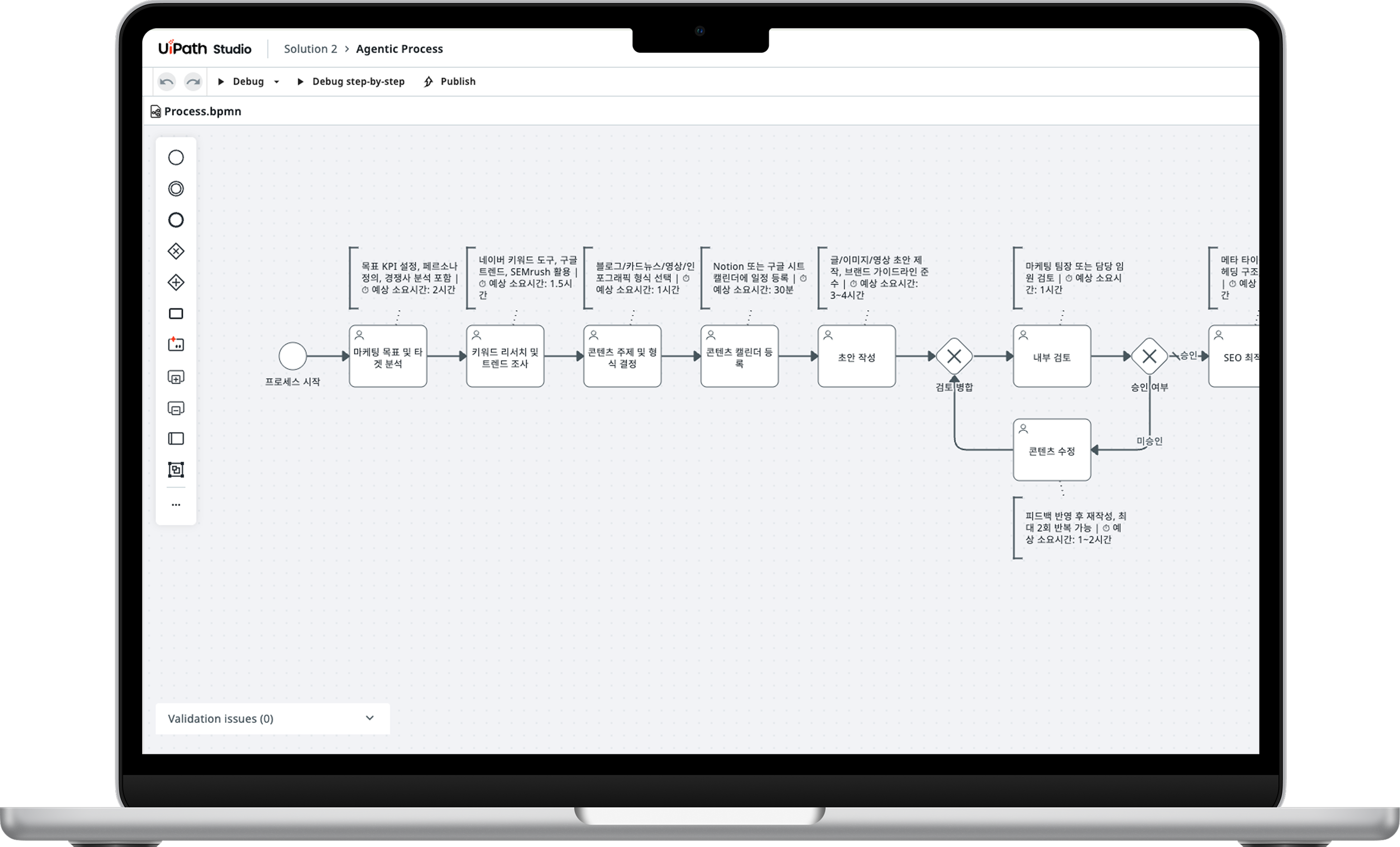
Agentic Automation has emerged to overcome these limitations.
 Decisions that vary by situation
 Responding to real-time environment changes
 Data processing
Core Components
Core Components of Agentic Automation
Agentic AI

AI Agents understand and learn from data, judging and acting autonomously based on the situation.
They continuously improve performance even in complex work environments, supporting more sophisticated decision-making.
RPA

Software robots automatically perform the repetitive, rule-based tasks that people used to do.
They execute data entry, system integration, and information lookup/processing tasks quickly and accurately, improving operational efficiency.
Agentic Orchestration

Integrates and coordinates the roles and flow of people, robots, and AI Agents into a single process.
Manages task priorities and execution to support a stable operating environment.
Agentic AI
Enterprise-grade AI Agents with the governance, flexibility, and scalability businesses need
Build Agents Your Way

Build quickly with 80+ templates, using low-code for speed and pro-code for deep customization.
Operate Safely, Manage Effectively

Ensure safe operations with enterprise-grade guardrails, monitoring, access control, and audit trails.
Scale Across the Enterprise

Orchestrate agents, robots, and workflows at scale to deliver consistent, reliable results.
RPA
Robotic Process Automation

100%
Error Reduction

65+%
Cost Savings

75+%
Processing Time

50+%
Process Improvement
What is RPA?
RPA is a technology in which software robots mimic and automatically perform
the repetitive, rule-based tasks people carry out on a computer.
Without complex system integration, it works directly on top of the applications
you already use — reading data, operating systems, and connecting tasks just as a person would.

Rule-Based Automation
Executes tasks precisely according to predefined scenarios and rules.

Eliminates Repetitive Work
Robots take over simple repetitive tasks such as data entry, copying, and pasting.

Accuracy & Speed
Enables 24/7 uninterrupted task processing without human error.

Applicable to Diverse Tasks
Can be applied to a wide range of repetitive, rule-based tasks regardless of industry or department.
Agentic Business Orchestration
Orchestrate your enterprise to run faster, smarter, and under full control.
End-to-End Orchestration Across Silos

A single control platform coordinates work across all systems, AI Agents, and people — eliminating gaps and fragmented automation caused by manual work.
Human-in-the-Loop & Safe AI by Design

Agent-based business orchestration keeps people in control where judgment is required, protecting AI and automation with deterministic guardrails.
Sustainable Execution

Manage long-running business processes (or cases) with built-in exception handling, auditing, and compliance features.
One Unified Platform, Faster Time to Value

Delivers a truly unified platform rather than loosely connected individual tools. UI automation, API integration, and AI agent reasoning all run on one consistent platform.
AI-powered Automation
Autopilot
Autopilot is an AI-powered automation platform that boosts productivity for every role.

Available Anywhere
Add AI tasks to apps and systems across diverse platforms with AI solutions

Intelligent Document Processing
Easily integrate powerful AI document processing capabilities

Boosted Productivity
Reduce repetitive work and boost productivity with AI-powered support

Responsible & Secure AI
Support enterprise environments with safe, responsible AI governance
Autopilot-based Rental Screening Process Design
Autopilot
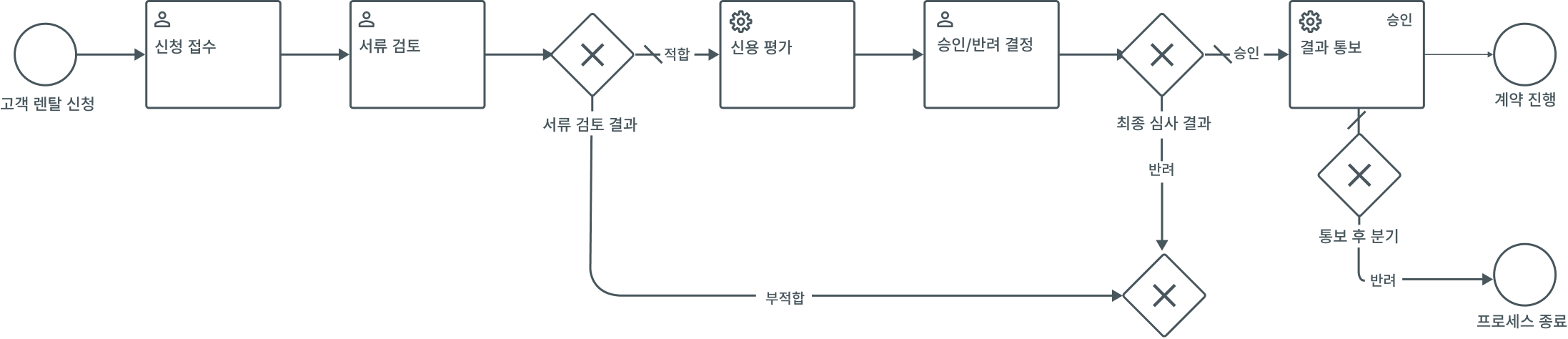
Build the business process for rental screening.
Structure it as application intake → document review → credit assessment → approval/rejection → result notification, and briefly include the responsible department and input/output data for each step.
I'll build the rental screening process as a BPMN diagram, including the responsible department and input/output data for each step.
BPMN Diagram
| Name | Type | Change |
|---|---|---|
| Rental Screening Process | process | Added |
| Customer Rental Application | startEvent | Added |
| Application Intake | userTask | Added |
| Customer Rental Application → Application Intake | sequenceFlow | Added |
What would you like me to do?
Autopilot can make mistakes. Please double-check responses.
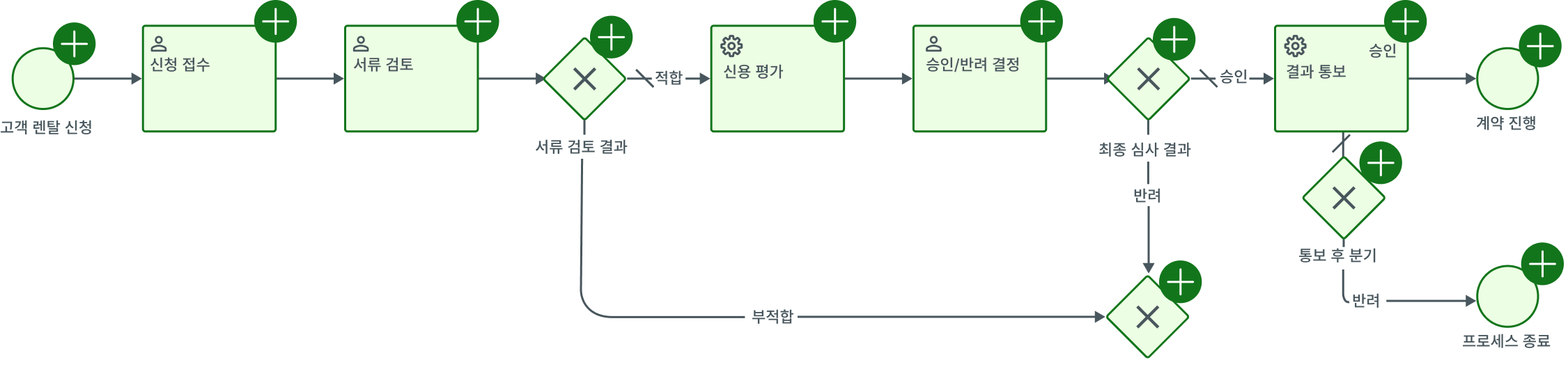
The third image shows the stage where a person reviews the AI-generated business process.
In this step, the accuracy, operational fit, and handling of exception cases in the auto-generated process are all reviewed together.
If the process is judged to be properly built, it can be applied by selecting 'Approve';
if revisions are needed or something is inaccurate, selecting 'Reject' requests regeneration or further refinement.
This review step combines the efficiency of AI automation with human judgment,
making it a key procedure for running a more reliable process.
Autopilot
Generated Process Summary
| Step | Task | Department | Type |
|---|---|---|---|
| 1 | Application Intake | Sales/Customer Support | User Task |
| 2 | Document Review | Underwriting | User Task |
| 3 | Credit Assessment | Underwriting / Credit System | Service Task |
| 4 | Approval/Rejection Decision | Underwriting Lead | User Task |
| 5 | Result Notification | Sales/Customer Support | Service Task |
Branch Handling
What would you like me to do?
Autopilot can make mistakes. Please double-check responses.